02 · Digital systems
Process automation for recurring processes
Reiz Consulting automates workflows, approvals and data flows so that teams are relieved and control is maintained.
Project phasesFrom manual step to controlled workflow
- AnalysisProcess and exceptions understood
- designAutomation limits defined
- ImplementationWorkflow built to be testable
- OperationRules refined
- Workflows
- Structure processes with status, tasks and clear handovers
- Approvals
- Map review and decision paths in a traceable way
- Notifications
- Automatically get information to the right people
- Data flows
- Move data between lists, applications and systems in a controlled way
01Control
Automation with professional control.
Automation should simplify work, but not blur responsibilities. Therefore, decisions, exceptions and approvals are clearly separated from each other.
02Services
Automation at a glance
Process automation helps reduce repetitive steps, manual tracking and media disruption.
01
Workflows
Structure processes with statuses, tasks and clear handovers.
02
Approvals
Map testing and decision-making processes in a traceable way.
03
Notifications
Automatically get information to the right people.
04
Data flows
Move data between lists, applications and systems in a controlled manner.
03Where it helps
Where automation helps
Automation makes sense when the same steps have to be triggered, checked or documented manually over and over again. This applies to approvals, status changes, reminders, to-do lists and data transfers.
Reiz Consulting first clarifies which steps should really be automated and where human inspection remains necessary.
04No black box
Control instead of black box
Critical decisions are not hidden. Exceptions, approvals and logs remain visible so that teams can understand what happened automatically and where technical intervention is required.
This creates relief without loss of control.
05Connection
Connection to software
06Check
Assess automation potential
We clarify which steps should be automated and where control is consciously maintained.
07Selection
Which type of support fits?
The right support depends on the current situation, the objective and the decision that needs to be prepared.
Workflow
Suitable for tasks, statuses and handoffs.
Approval logic
Suitable for audit trails and decision steps.
Notification
Suitable for reminders and escalations.
08Project phases
Support for each project phase
Clear phases keep analysis, structure, implementation and continuous development distinct.
- Phase 1 · Analysis
Understand the process and exceptions
Manual steps, rules and special cases are made visible.
- Phase 2 · Design
Set automation limits
Automatic steps and human checks are separated.
- Phase 3 · Implementation
Build a testable workflow
Statuses, tasks and notifications are implemented in stages.
- Phase 4 · Operation
Develop rules further
Exceptions and feedback are incorporated into improvements.
09Quality
How good support can be recognized
Clear responsibilities, traceable results and practical implementation are what matter.
Traceability
Automatic steps remain logged.
Clear exceptions
Special cases are not ignored.
Expert oversight
Decisions remain where responsibility lies.
Stable data
Handoffs reduce duplication of care and errors.
10Project context
Automation for evolved processes
Reiz Consulting supports where recurring work binds teams and at the same time control remains important.
- Approvals and status logic
- Tasks and reminders
- Data transfers
- Documentation and history
From requirements to next steps
- Current situationNeeds clarified
- ImplementationSteps defined
- ResultReady for the next phase
11Approach
Our approach
Pragmatic enough for quick orientation, structured enough for reliable results.
- Phase 1 · Capture
Process and rules
Record the process and rules.
- Phase 2 · Separate
Automation and review
Separate automation and testing.
- Phase 3 · Implement
Workflow and data flows
Build workflow and data flows.
- Phase 4 · Improve
Exceptions and feedback
Incorporate exceptions and feedback.
12Project check
Brief project assessment
A few details are enough for an initial assessment and usually make the appropriate next step clear.
- 01Process
Which steps are repeated regularly?
- 02Rules
Which decisions can be automated?
- 03systems
Where do data or tasks originate today?
13Reference
Reference from CRM and digital implementation
A published project showing how a website, CRM structure and digital visibility can work together.
-
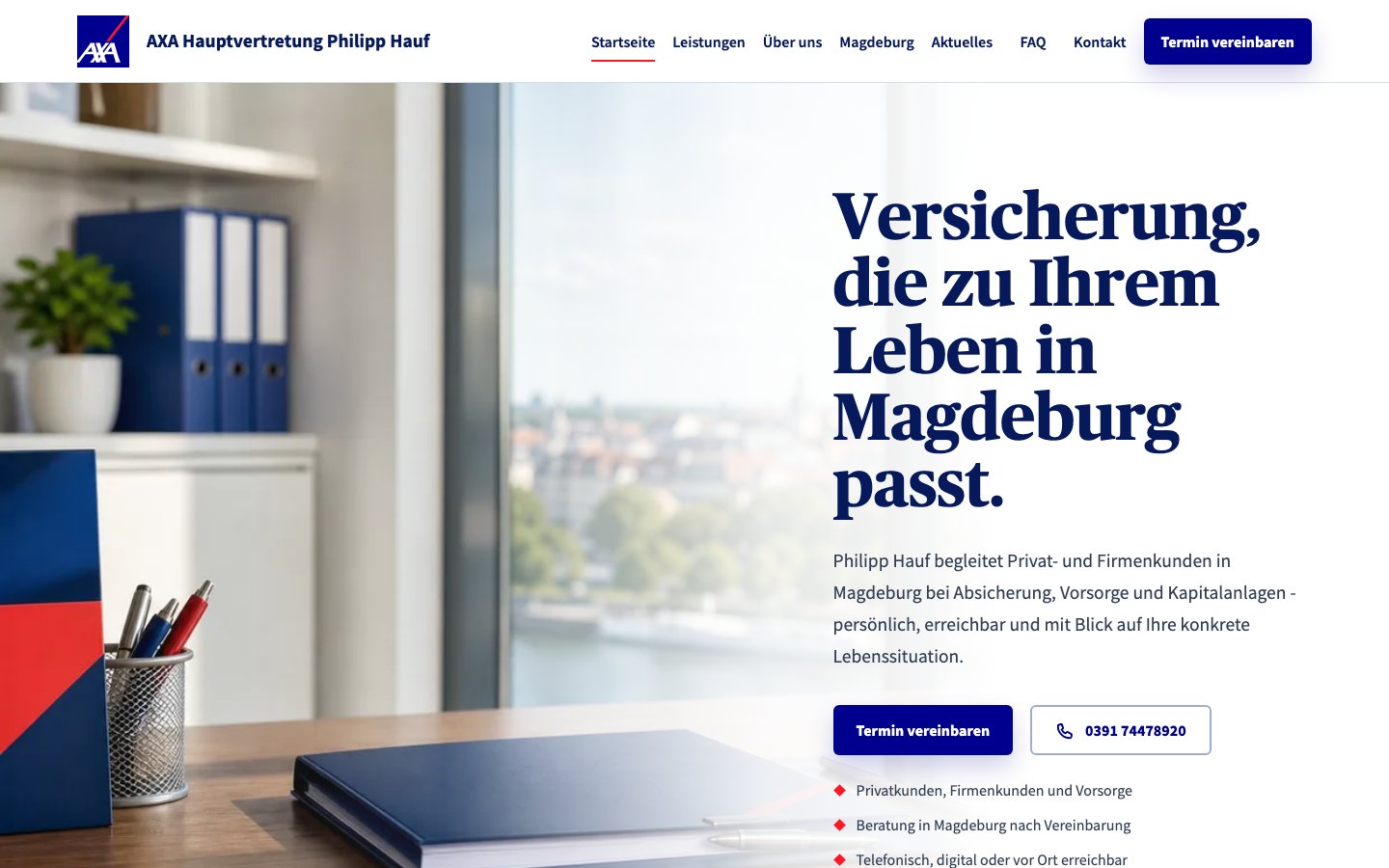
REF-01 · Insurance
Website, CRM and digital visibility from one project
AXA Hauptvertretung Philipp Hauf
For the AXA general agency Philipp Hauf, we created an independent digital presence with a clear structure, along with the CRM set-up in monday.com, local SEO and structured data.
Visit website
14Contact
Targeted automation of manual processes?
We are talking about recurring work steps, approvals, status changes, notifications and data transfers that can be automated in a structured manner.
Direct, confidential and without a pre-qualification form.
Helpful for getting started
- List recurring steps and exceptions
- Clarify clearances and responsibilities
- Plan automation with human control
15Questions
Frequently asked questions
Answers to typical questions about process automation and initial assessment.
Further questions: info@reizconsulting.de
What is automated in process automation?
Recurring steps such as approvals, notifications, data transfers, status changes, documentation and structured tracking are automated.
Will human control remain?
Yes. Critical decisions, exceptions and technical approvals are clearly separated from each other and logged in a traceable way.
Which processes are particularly suitable?
Processes with clear rules, frequent repetitions, many stakeholders, media breaks, manual tracking or recurring sources of error are suitable.
How does an automation project start?
It starts with a process recording: triggers, data sources, roles, decisions, exceptions and target status are made visible.